Mobius: Red Exclamation & BLE Disconnected Error Troubleshooting
Overview
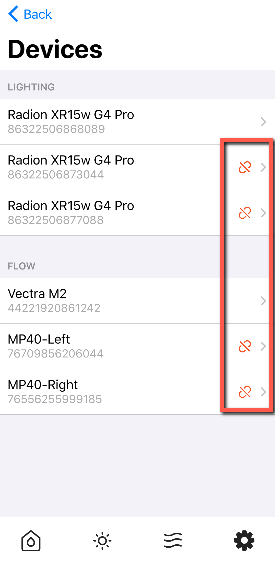
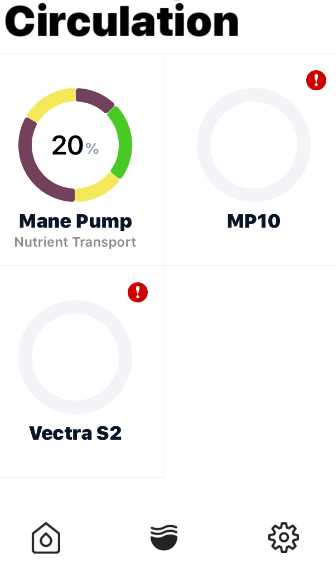
A red exclamation mark next to a device in Mobius or a "BLE Disconnected" message indicates that your device is currently disconnected from the Mobius app. This is an easy issue to resolve and you can do so by following the steps below.
Steps:
- Enable Bluetooth and Location Services in your Device Settings
- Ensure you are within Bluetooth range of your aquarium
- Force close all apps including Mobius
- Unplug your device(s) from power
- After 30 seconds reconnect your device(s) to power
- You can now re-open the Mobius app
In the unlikely event, your devices are still disconnected you can proceed with using the steps below. Please be aware you would lose your current settings by using the following steps.
Open the Mobius app
Select "Aquariums" on the top left corner.
Swipe left over the aquarium, this will delete it
You can now select "..." in the top right corner. Then select "Add a device" to add your devices back.